
You can cancel your Spesenfuchs contract at any time directly from your user account.
Cancel or delete? Your contract is the plan you have booked. Your account is your access to Spesenfuchs with all of your data. Canceling only ends the contract; your data is not deleted. If you want to delete Spesenfuchs completely with all of your data, see Can I delete my account?
How to cancel your contract
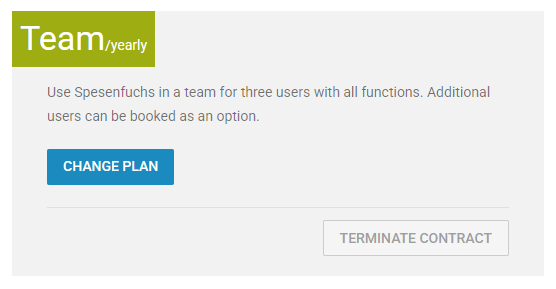
- Click Settings (gear icon) in the top right.
- Select Plan.
- Here you can see your currently active plan.
- Click “Terminate contract”.
- Confirm the cancellation with your password.
You can also cancel by sending a message to support, for example by email to support@spesenfuchs.de. We will then cancel the contract for you. The same rules apply as when you cancel in Spesenfuchs yourself.
Withdraw your cancellation
You can withdraw a cancellation. You do this on the same page where you canceled: under Settings (gear icon) → Plan.
What happens after cancellation?
Your contract will end at the end of the current contract term.
Until then, you can continue to use Spesenfuchs and all features included in your plan as usual.
After your contract has ended, we will retain your data for an additional 60 days. During this period, you can reactivate Spesenfuchs and continue working with your existing data.
If you do not reactivate your account within these 60 days, your account will be locked. The associated data will be deleted at a later date.
Delete your account early
If you do not want to wait for the automatic deletion, you can delete your account and all associated data yourself. Your contract is then canceled at the end of its term. For instructions, see Can I delete my account?
You can find this option under:
Person icon → Login data → Delete account
Important: Deleting your account will also delete your data. Please make sure to export any data and receipts you still need before deleting your account.